Employee Monitoring Software: What It Tracks and What to Know
By
Liz Fujiwara
•
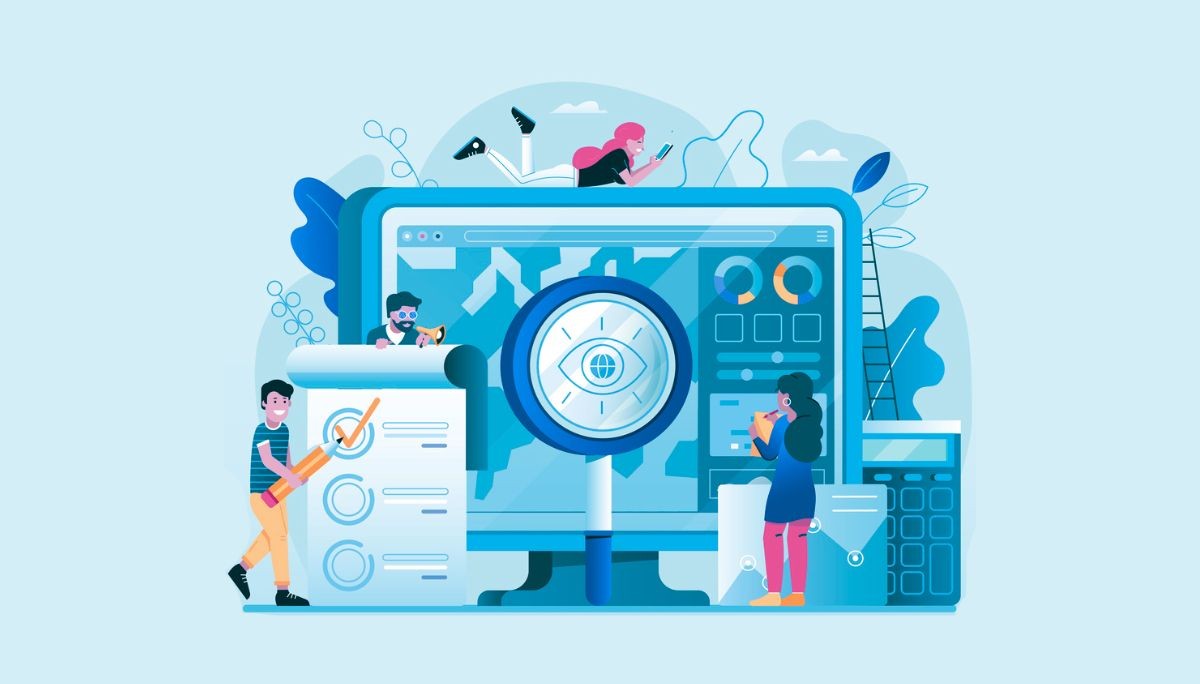
The shift to remote and hybrid work since 2020 changed how organizations approach productivity and security. What began as a temporary response during the pandemic has become a permanent operational model, with computer screen monitoring playing a key role in managing distributed teams.
Computer screen monitoring tools capture screen activity and related behaviors such as screenshots, live views, app usage, and website visits to support productivity tracking, security monitoring, and compliance.
This article explains what screen monitoring tools track, how they work, the benefits and risks to consider, legal considerations in 2026, and how to choose and implement the right solution for your organization.
Key Takeaways
In 2026, most employee monitoring software captures screen activity, keystrokes, URLs, and idle time, converting this data into productivity insights and security alerts.
Legality depends on jurisdiction, employee notice requirements, and whether devices are company-owned or personal, with many regions requiring disclosure or consent before monitoring.
Responsible use requires transparent policies, limited data retention, and role-based access controls, along with choosing tools that balance visibility with employee privacy.
What Computer Screen Monitoring Actually Tracks
Screen monitoring rarely operates in isolation. Most solutions bundle visual capture with broader employee monitoring features, creating comprehensive activity tracking across multiple data types.
Visual data types include live screen viewing via real time streaming protocols (typically 1-5 second delays), scheduled screenshots captured at intervals from every 10 seconds to 5 minutes with resolutions up to 4K, continuous video recording stored as compressed files at 1-15 FPS, and OCR-based text extraction that indexes on-screen content for searchability.
Activity data types include application usage tracked through system APIs that log window titles, executable names, and dwell times, website URLs parsed from browser history, active versus idle time measured through mouse and keyboard inactivity thresholds (usually 5-10 minutes), login and logout timestamps, and session duration metrics.
Input data can include keystroke logging through low-level keyboard hooks with filtering for sensitive fields like passwords, mouse movement heatmaps for attention mapping, clipboard access monitoring for potential data exfiltration, and optional webcam or microphone capture. By 2026, about 65% of tools de-emphasize audio and video capture because of privacy concerns.
Advanced platforms correlate these signals using machine learning models to compute productivity scores ranging from 0-100 based on time in productive versus unproductive apps, risk scores that flag anomalies like unusual file downloads, and real time alerts for behaviors such as accessing prohibited websites during work hours.
Types of Computer Screen Monitoring Solutions

Monitoring can be implemented through several architectures, each with different advantages depending on organizational needs and security requirements.
Software agents are lightweight installers, typically under 50MB, deployed through tools such as Group Policy on Windows, DMG packages on macOS, or DEB files on Linux. These agents connect to operating system APIs like Windows Event Tracing and can run in visible tray-icon mode or stealth configurations. Modern agents maintain minimal overhead, usually about 1-3% CPU usage and under 100MB RAM on current hardware.
Cloud-based SaaS platforms store monitoring data on providers such as AWS or Google Cloud and provide web dashboards for real time visualization. These systems often include REST APIs for integrations with SIEM tools, HRIS systems, and project management platforms, making them popular for organizations prioritizing easy setup and scalability.
On-premise deployments keep monitoring data on company-owned servers, often using Docker or Kubernetes containers. This approach suits air-gapped environments in defense, finance, or healthcare where strict governance and regulatory compliance require full control over data residency and retention.
Specialized variants include pure screen viewers similar to remote desktop tools with session recording, dedicated keyloggers focused on input capture, parental control apps that emphasize content filtering over productivity scoring, and enterprise user activity monitoring suites that combine screen capture with network, email, and file monitoring.
Core Features of Modern Screen Monitoring Software
When evaluating employee desktop monitoring software in 2026, these feature categories should guide your assessment and help match capabilities to actual business needs.
Live screen viewing and remote control allows supervisors and IT admins to observe active sessions with low-latency feeds, with optional on-demand keyboard and mouse control for troubleshooting. Session access is logged with timestamps and user notifications to maintain transparency.
Scheduled screenshots and continuous recording capture visual evidence at configurable intervals, with options for resolution, frame rate, and retention policies. Modern tools use hardware-accelerated encoding to minimize performance impact while achieving compression ratios up to 100:1 for efficient storage.
Application and website monitoring tracks software and internet usage with configurable productive and unproductive labels. Per-role categorization means developers might have Slack classified differently than sales staff, and administrators can train custom models on organizational patterns.
Time and attendance tracking handles clock outs, shift-based scheduling, overtime detection, and active versus idle time measurement. OCR timestamped data improves accuracy for billing and payroll, with thresholds that alert managers to inactive users.
Alerting and rules engines combine rule-based if-then logic with ML anomaly detection for real time notifications. Policies might trigger alerts when someone spends more than 20% of working hours on social media, accesses sensitive information outside normal patterns, or downloads large files to USB drives.
Data access controls implement role-based access so managers see only their team’s data, with audit trails tracking who accessed monitoring records and when. Many solutions now use append-only logs for immutable compliance records.
Integrations and APIs connect monitoring systems with HRIS platforms like Workday for performance reviews, payroll systems through API time exports, project management tools for workflow visibility, and SIEM solutions for security operations feeds.
Feature Comparison: Different Approaches to Screen Monitoring
Understanding the tradeoffs between different monitoring approaches helps you select the right solution for your organization’s risk profile and culture.
Solution Type | Primary Use Case | Screen Data Captured | Privacy Level | Best For |
Basic Time Tracker | Freelancer billing, simple productivity | Periodic screenshots (every 10 min), app timers, idle detection | High (minimal storage) | Solopreneurs, agencies needing client billing proof |
Continuous Screen Recorder | Compliance audits, forensic evidence | Full video (1-5GB/user/day uncompressed), comprehensive activity logs | Lower (significant data collection) | Healthcare, finance, regulated industries requiring HIPAA compliance |
Full UAM Suite | Insider threat detection, IP protection | Screen + keystrokes + file I/O + network + email monitoring | Lowest (comprehensive surveillance) | High-risk finance, software companies protecting IP, enterprises with data leaks concerns |
Parental Control / Home Use | Child safety, screen time limits | Content filters, usage reports, activity summaries | Moderate (focused on safety, not analytics) | Families, educational settings, home users |
Pros and Cons of Computer Screen Monitoring
Computer monitoring delivers measurable benefits for productivity and security, but organizations must honestly acknowledge the potential downsides for trust, morale, and management bandwidth.
Benefits
Productivity gains: Managers gain an accurate picture of how teams are spending time across work processes.
Security and compliance benefits: Detection of data exfiltration, insider threats, and policy breaches becomes significantly faster. This matters especially for finance, healthcare, and SaaS companies protecting sensitive information from data breaches.
Operational improvements: Managing remote team members across time zones becomes easier with asynchronous visibility into activity. Billing accuracy improves to 98%+ with verifiable hours, and project costing gains precision when you can measure individual contributions objectively.
Drawbacks
Privacy concerns and stress: The “always watched” feeling can lead to productivity theater; workers gaming metrics rather than focusing on meaningful output. Management challenges: Reviewing 100+ screenshots daily creates data overload. Without clear guidelines, managers risk micromanaging based on surface-level metrics.
Implementation complexity: Rolling out monitoring without proper communication damages trust. Teams need training to interpret context; someone staring at a blank screen might be deep in thought on a complex problem, not slacking.
Success depends largely on transparency, proportional monitoring, and aligning the monitoring tool with clear business goals rather than surveillance for its own sake.
Legal and Ethical Considerations in 2026
Laws governing computer activity monitoring vary widely by country and even by U.S. state. This section provides general guidance, but readers must consult local legal counsel before implementing monitoring.
Notice requirements: Many jurisdictions require informing employees in writing before monitoring begins. The U.S. federal Electronic Communications Privacy Act (ECPA) permits business monitoring on owned devices with notice, while some states like Connecticut and Delaware mandate specific disclosures.
Company-owned versus personal devices: Monitoring company-owned hardware for legitimate business reasons is broadly permitted across most jurisdictions. Personal devices fall under much stricter restrictions; if employees use BYOD arrangements, monitoring typically must be limited to work profiles, corporate VPN traffic, or specific applications with explicit consent.
Key legal frameworks: EU GDPR requires data protection impact assessments and consent for non-essential processing. California’s CPRA amendments mandate opt-out provisions for personal data. Sector-specific rules in healthcare (HIPAA) and finance add additional compliance layers.
Ethical practices: Data minimization means collecting only what’s necessary. Limiting deep monitoring like keystroke typed capture to sensitive roles (developers with source code access, finance staff with customer data) respects proportionality. Auto-pausing monitoring outside working hours (6PM-9AM) acknowledges work-life boundaries.
Disclaimer: This article is for informational purposes only and does not constitute legal advice. Privacy laws evolve rapidly, and requirements differ by jurisdiction. Always consult qualified legal counsel before implementing or modifying employee monitoring programs.
Best Practices for Implementing Screen Monitoring at Work
Rolling out monitoring successfully requires more than just installing software. This step-by-step approach helps organizations avoid common pitfalls and build acceptance among the whole team.
Start with clear objectives: Define what you’re trying to achieve before selecting features. Are you trying to reduce data leakage? Understand workload distribution? Improve productivity levels? Improve billing accuracy? Each goal suggests different capabilities and scope.
Draft a written monitoring policy: Document exactly what data is collected, on which devices, during what hours, who can view employee activity data, and how long records are retained. New employees should receive this policy during onboarding, and existing staff should acknowledge updates.
Involve stakeholders across departments: HR ensures policy aligns with employment law and company culture. Legal reviews compliance requirements. IT handles technical deployment. Team leads help communicate the reasoning to their groups. Cross-functional buy-in prevents silos and resistance.
Pilot before full rollout: Test with some of the staff first. This reveals usability issues, false positive rates, and employee reactions before organization-wide deployment.
Train managers on contextual interpretation: Screenshots don’t tell the whole story. A developer staring at seemingly idle screens may be architecting a solution mentally. Office workers switching between apps rapidly might be multitasking efficiently. Provide support through training that prevents knee-jerk reactions to surface-level data.
Conduct regular reviews: Annual audits of monitoring scope, retention periods, and policy language keep your program aligned with evolving laws and workplace norms. What made sense in 2024 may need adjustment for 2026 realities.
How to Choose the Right Computer Screen Monitoring Tool
The monitoring software market is crowded, with dozens of vendors offering overlapping features. Matching tools to your organization’s size, risk profile, and culture helps prevent expensive mistakes.
Define must-haves versus nice-to-haves: Does your business need live view capabilities, or are periodic screenshots sufficient? Are keystrokes necessary only for security roles? Do you require mobile device support? Create your list before evaluating vendors.
Assess scalability and performance: Solutions must handle growth from tens to thousands of users without degrading performance. Cloud platforms typically scale automatically, while on-premise deployments require capacity planning. Modern tools should add less than 2% CPU overhead on current hardware (Intel 12th gen+ or Apple M2+).
Evaluate privacy and security controls: The best employee monitoring software offers end-to-end encryption (AES-256), granular role-based permissions, immutable audit trails, and data localization options for regional compliance. Open source alternatives may provide transparency but require more internal expertise.
Test through trial periods: Most vendors offer 7-14 day trials. Deploy on real workloads to assess usability, performance impact, dashboard clarity, and how accurately reports reflect actual work versus false idle classifications.
Computer Screen Monitoring Beyond the Office
Similar monitoring technologies serve purposes outside corporate environments, though motivations and legal constraints differ.
Tools such as content filters and usage limiters help families manage children’s screen time and block harmful content. Age-appropriate transparency matters, with older children sometimes reviewing their own activity logs to build self-regulation skills.
Law enforcement agencies utilize forensic tools with capabilities comparable to commercial monitoring software, provided they possess the appropriate legal authorization. Following recent judicial developments, court rulings have imposed stricter chain-of-custody requirements for digital evidence. Consequently, the deployment of these tools now strictly requires specific warrants or rigorous judicial oversight to ensure admissibility in court.
School-issued laptops often include monitoring for safeguarding students, ensuring exam integrity through keystroke anomaly detection, and maintaining compliance with privacy laws such as FERPA. The focus is protection rather than productivity scoring.
Lastly, deploying hidden monitoring on adults’ personal devices without clear legal authority can constitute felony wiretapping in many jurisdictions, with penalties of up to five years imprisonment in the U.S. Avoid monitoring devices you do not own without explicit legal authority.
Conclusion: Using Screen Monitoring Responsibly
Computer screen monitoring can improve productivity, detect security risks, and support compliance when implemented transparently and proportionately. Organizations should treat monitoring data as sensitive information, protecting it with strong security controls and limiting access to those who truly need it. Monitoring works best alongside good management practices such as clear goals, regular feedback, and coaching. Before making changes, review your current setup, define your objectives for 2026, and consult legal and HR teams to ensure responsible implementation.
FAQ
What does employee monitoring software actually track on your computer?
Is it legal for employers to monitor your screen and laptop activity?
What are the best computer monitoring tools for remote teams in 2026?
Can my employer monitor my personal computer or only company devices?
How do I know if my employer has monitoring software installed on my laptop?