Employee Portal Guide: Features, Benefits & Best Platforms for 2025
By
Samantha Cox
•
Imagine this scenario: your tech company has grown from 150 to 400 employees in 18 months. You’re scaling AI and engineering teams across three continents. Your recruiters are juggling Slack threads, email chains, and three different HR systems. New hires can’t find the remote work policy. Hiring managers don’t know where to submit feedback on candidates. And your latest engineering offer just got declined because the onboarding experience looked chaotic.
This is the reality for many fast-growing tech companies in 2026.
Legacy intranets and basic HR systems no longer match the expectations of product managers, engineers, and data scientists hired since 2020. These employees expect consumer-grade digital experiences at work: searchable, mobile-ready, and personalized.
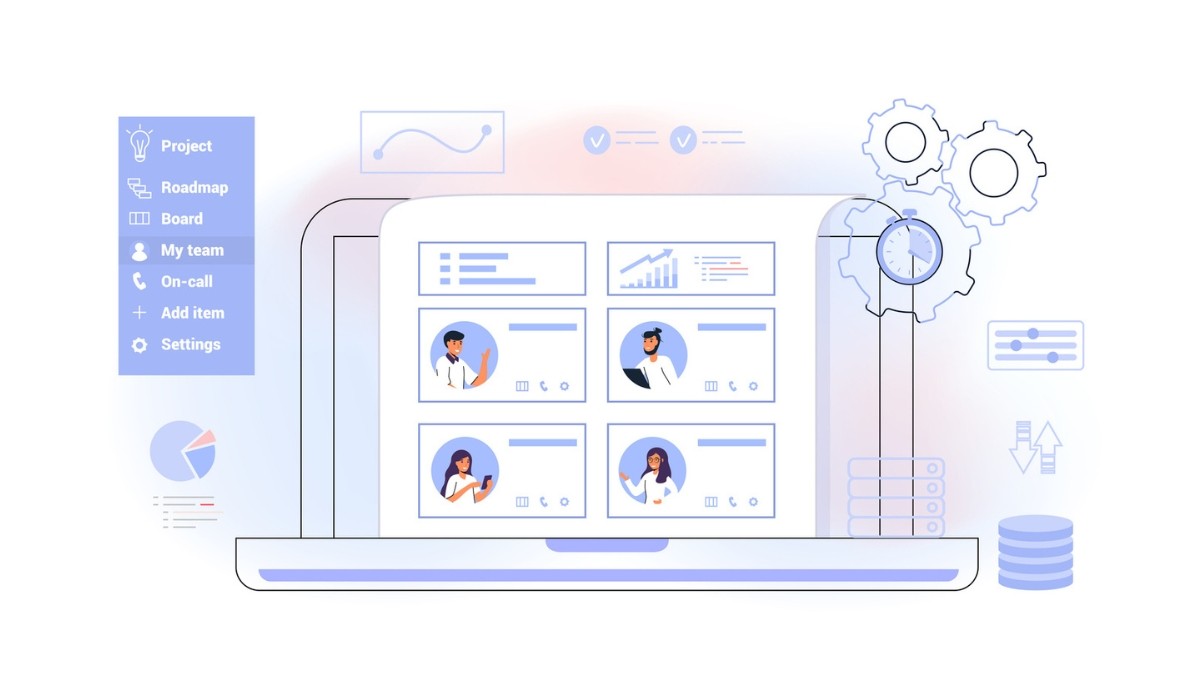
A modern employee portal addresses this gap. It’s a secure, personalized, mobile-ready workspace that unifies HR, IT, collaboration, and hiring-related workflows into one place. Employees sign in once and access everything they need, from time-off requests to engineering playbooks to their team’s OKRs.
But here’s what many HR and talent leaders miss: the employee portal isn’t just about current employees. It directly impacts hiring outcomes too. Slow requisition approvals, scattered candidate feedback, and poor onboarding experiences hurt your offer-accept rates and time-to-productivity.
This is where AI-native solutions like Fonzi come in. Fonzi is a talent marketplace purpose-built to hire top-tier AI and engineering talent faster, more fairly, and without sacrificing human oversight. It can connect into or sit alongside your employee portal to streamline sourcing, screening, and onboarding, giving hiring managers visibility into candidate pipelines right from their dashboard.
Key Takeaways
A strong portal unifies everything: Beyond HR forms, today’s employee portal acts as the hub for communication, learning, performance management, and increasingly, AI-assisted hiring workflows.
AI integration accelerates hiring: Adopting AI-powered tools like Fonzi inside or alongside your employee portal can dramatically shorten hiring cycles for engineering and AI roles while keeping humans in control of final decisions.
This guide compares 2026’s leading platforms: You’ll learn how to evaluate employee portal solutions specifically for remote-first, engineering-heavy organizations.
Expect practical implementation guidance: Readers will get a checklist for strategy, change management, integration planning, and ongoing optimization.
Hiring and employee experience are now connected: The best portals bridge the gap between candidate experience and employee experience, creating a seamless journey from offer acceptance to productive contribution.
What Is an Employee Portal? Core Definition & Components
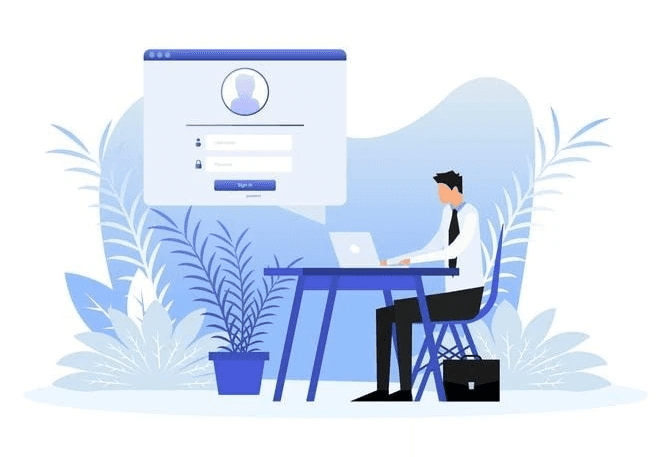
An employee portal is a secure, authenticated web or app-based gateway where employees access company information, tools, and workflows in one place. Think of it as the digital front door to your organization.
Core Components
Modern employee portals typically include:
Single sign-on (SSO): One login grants access to connected HR, IT, and collaboration tools
Personalized dashboards: Role-based views showing relevant information and shortcuts
Self-service HR: Update personal info, view paystubs, request PTO, enroll in benefits
Collaboration links: Direct access to Slack, Microsoft Teams, project management tools
Learning and performance tools: Training modules, goal tracking, performance review access
Knowledge management: Searchable policies, handbooks, and documentation
Clarifying the Terminology
People often confuse employee portals with related concepts. Here’s how they differ:
Term | Description | Key Difference |
Traditional Intranet | Static internal website for news and documents | Limited interactivity, no personalization |
HRIS Self-Service | Module within your HR system for basic tasks | Narrow focus on HR transactions only |
Employee Portal | Unified gateway integrating multiple systems | Personalized, interactive, workflow-enabled |
Employee Experience Platform | Advanced portal with engagement and analytics | Adds culture, feedback, and insights layers |
Before Portal vs. After Portal
Before: An engineer needs to check PTO balance, find the security incident playbook, and see their upcoming 1:1 schedule. They open three browser tabs, search Confluence, dig through Slack, and eventually email HR when they can’t find the right form. Total time: 25 minutes of fragmented effort.
After: The same engineer opens their employee portal, sees their PTO balance on the dashboard, clicks to the engineering knowledge base, and confirms their 1:1 in the calendar widget. Total time: 3 minutes.
What employees expect to find in 2026:
2026 holiday calendars and company-wide shutdown dates
Benefits enrollment windows and plan comparisons
Recent pay slips and tax documents
Remote work policies and equipment request forms
Career growth resources and internal mobility opportunities
Key Features of a Modern Employee Portal in 2026
The best employee portals for tech and AI-focused organizations share a common set of capabilities. Here’s what to look for:
Secure Access and Identity
Security isn’t optional when your portal connects to payroll, benefits, and sensitive HR data.
SSO integration with Okta, Azure AD, or Google Workspace
Multi-factor authentication (MFA) for accessing sensitive data
Role-based access controls differentiating managers, HR, IT, contractors, and individual contributors
Session management with automatic timeouts and device recognition
Audit logging for compliance and security reviews
Personalized Dashboards
Generic experiences don’t cut it. Your portal should adapt to who’s logging in.
Role-specific widgets: Engineers see Jira sprint summaries and GitHub activity; recruiters see ATS shortcuts and Fonzi candidate pipelines
Personal data at a glance: Time-off balance, upcoming 1:1s, pending approvals
OKR and goal visibility: Progress on quarterly objectives
Personalized news feed: Org announcements, security alerts, product releases filtered by relevance
Self-Service HR Tools
Reducing HR ticket volume starts with giving employees control.
Digital onboarding checklists for new hires starting in 2026
Benefits enrollment and updates, especially critical for remote and international workers
Automated workflows for PTO requests, policy acknowledgements, relocations, and equipment orders
Document management: Access to offer letters, tax forms, and employment verification
Life event updates: Marriage, new dependents, address changes without emailing HR
Collaboration and Knowledge Features
Your portal should be the starting point for finding anything work-related.
Company handbook and department-specific playbooks
Engineering documentation: Incident response guides, architecture docs, deployment procedures
Direct links to Slack channels, Microsoft Teams spaces, and project rooms
Searchable knowledge base with tagging by team, topic, and date
Recent updates feed showing newly published or revised content
Analytics and Insights
What gets measured gets improved.
Admin dashboards showing portal adoption, content usage, and search trends
HR insights: Onboarding task completion rates, policy acknowledgement tracking
Search gap analysis: What are employees looking for but not finding?
Hiring metrics integration: Track time-to-fill, candidate pipeline health, and onboarding completion
Benefits of an Employee Portal for Workers and Employers
A well-implemented employee portal delivers value across the organization. Here’s how:
Benefits for Employees
24/7 access to what matters:
View pay, benefits, and policies from desktop or mobile
No waiting for HR office hours or timezone alignment
Self-service password reset and account recovery
Reduced friction for routine tasks:
Submit PTO requests in under a minute
Request equipment or report IT issues without email chains
Sign up for training without coordinator involvement
Career visibility:
Explore internal job postings and mobility options
Access learning resources and certification programs
Track performance goals and feedback history
Benefits for Employers and HR Teams
Lower HR ticket volume:
Self-service reduces repetitive inquiries by 30-50%
HR can focus on strategic initiatives instead of answering “Where’s my W-2?”
Consistent communication:
Single source of truth during fast hiring waves and reorganizations
Announcements reach everyone, not just those who check email
Stronger compliance:
Digital acknowledgements create audit trails
Policy updates are versioned and trackable
Required training completion is logged automatically
Benefits for Managers and Leaders
Team visibility:
See team structure, open roles, and pending approvals in one view
Track performance cycle status across direct reports
Faster onboarding:
Standardized onboarding journeys for engineers and AI specialists
Managers can monitor new hire progress without chasing updates
Real-time engagement insights:
Understand which initiatives are landing with teams
Identify adoption gaps before they become cultural issues
Connecting to Hiring Outcomes
The employee portal isn’t blocked from recruiting. Smart organizations use portal data to:
Identify teams needing headcount based on workload signals
Surface internal candidates for open roles
Connect AI tools like Fonzi into hiring-related flows so hiring managers see candidate pipelines, structured feedback, and interview schedules without leaving their dashboard
How Employee Portals Support Faster, Fairer Hiring with AI
Here’s where employee experience and hiring experience converge. A modern employee portal can host or connect to AI-driven hiring workflows, bridging the gap between talent acquisition and talent management.
The Hiring Challenges Facing Tech Companies
If you’re hiring for AI and engineering roles in 2026, you’re likely experiencing:
Lengthy hiring cycles: Senior engineer and AI specialist roles often take 60-90 days to fill
Recruiter bandwidth limits: After 2022-2024 headcount reductions, remaining recruiters are stretched thin
Inconsistent evaluations: Interview feedback varies wildly across teams and interviewers
Candidate drop-off: Top candidates accept other offers while waiting for your process to catch up
How AI Fits Into the Portal Experience
AI isn’t replacing recruiters, it’s augmenting them. Here’s how:
Pre-screening at scale: AI agents can review applications, verify skills, and detect fraud or misrepresentation
Structured evaluations: Consistent scoring rubrics and question templates reduce subjectivity
Human oversight preserved: Recruiters and hiring managers review AI recommendations and make final decisions
Portal integration: The employee portal becomes the interface where hiring managers see curated shortlists, candidate profiles, and feedback summaries
Fonzi: A Concrete Example
Fonzi is a multi-agent AI talent marketplace specialized in AI and engineering roles. Here’s what makes it different:
AI agents handle sourcing: Fonzi’s agents scan talent pools, verify skills, and detect fraudulent profiles at scale
Structured candidate profiles: Hiring managers receive organized profiles with skill assessments and verification status
Seamless integration: Fonzi can feed insights into your HR tech stack and be surfaced to managers via their portal dashboard
Human control maintained: Final hiring decisions stay with your team, Fonzi accelerates the path to those decisions
Benefits for Fairness and Quality
AI-assisted hiring isn’t just faster, it can be fairer:
Reduced bias: Standardized evaluations minimize halo effects and gut-feel decisions
Consistent templates: Interview questions and scoring rubrics linked from the portal’s hiring section
Audit trails: Connected systems store decision logs for compliance and diversity reporting
Data-driven improvements: Analyze which sourcing channels and evaluation criteria predict success
Core Portal Features vs. Hiring & AI Capabilities
When evaluating employee portal solutions, it helps to see how standard features compare to AI-enhanced hiring capabilities. Use this table as a checklist when reviewing vendors:
Capability Area | Typical Employee Portal Feature (2026) | AI / Hiring Enhancement (e.g., via Fonzi) | Key Benefit for Tech Hiring Teams |
Onboarding Experience | Digital checklists, document uploads, policy acknowledgements | AI-personalized onboarding plans based on role and team | Engineers ramp faster with tailored technical resources |
Document Access | Policies, handbooks, forms library | Structured evaluation templates, interview scorecards | Consistent candidate assessment across all interviewers |
Employee Directory | Org chart, team rosters, contact info | Talent marketplace insights on internal vs. external candidates | Identify internal mobility opportunities before external sourcing |
Announcements | Company news, leadership updates | Automated updates to managers on pipeline status and hiring SLAs | Real-time visibility into recruiting progress without status meetings |
Self-Service HR | PTO requests, benefits enrollment | Automated candidate scheduling and offer letter workflows | Recruiters spend less time on logistics, more on relationship building |
Analytics | Portal adoption, content engagement | Hiring funnel metrics, time-to-fill, quality-of-hire signals | Data-driven decisions on sourcing channels and process improvements |
Knowledge Base | Searchable docs and wikis | Interview best practices, role-specific guides for hiring managers | More prepared interviewers lead to better candidate experiences |
This comparison highlights a key insight: the best employee portals in 2026 don’t just serve current employees, they also enable better hiring outcomes when integrated with AI-powered tools like Fonzi.
When speaking with vendors, ask specifically about their integration capabilities for ATS systems and talent marketplaces. The portal that works for your HR team should also work for your recruiting team.
Top Employee Portal Platforms for 2026
Choosing the right employee portal depends on your company size, existing tech stack, and priorities. Here’s an opinionated guide tailored to mid-market and growth-stage tech employers (100–2,000 employees):
HRIS-Centered Portals
Examples: Workday, UKG, HiBob, Rippling
Strengths:
Deep integration with payroll, benefits, and compliance workflows
Single source of truth for employee data
Strong self-service HR capabilities out of the box
HiBob and Rippling are particularly popular with tech startups for their modern UX
Limitations:
Can feel transactional rather than experiential
Communication and collaboration features often require add-ons
Customization may require professional services
Integration with AI hiring tools: Most HRIS platforms offer APIs that can connect with external ATS systems and tools like Fonzi. Look for pre-built connectors or middleware support.
Collaboration-First Portals
Examples: Microsoft Viva (within Microsoft 365), Google Workspace intranet solutions
Strengths:
Native integration with productivity tools employees already use
Microsoft Viva combines communications, learning, and insights in one layer
Familiar interface reduces training burden
Strong for organizations already deep in Microsoft or Google ecosystems
Limitations:
May lack depth in HR-specific workflows
Can feel like another layer on top of existing tools rather than a unified experience
Requires careful information architecture to avoid content sprawl
Integration with AI hiring tools: Both ecosystems support extensive API integrations. Fonzi and similar tools can surface candidate data through embedded apps or linked dashboards.
All-in-One Employee Experience Platforms
Examples: ServiceNow Employee Center, SAP SuccessFactors
Strengths:
Comprehensive case management and workflow automation
Enterprise-grade security and compliance
ServiceNow excels at IT + HR service delivery integration
Strong for larger organizations with complex needs
Limitations:
Higher cost and implementation complexity
May be overkill for companies under 500 employees
Longer deployment timelines
Integration with AI hiring tools: These platforms typically offer robust integration frameworks. Ensure your vendor can demonstrate specific ATS and talent marketplace connectors.
Startup-Friendly and Lightweight Portals
Examples: Notion-based internal wikis, Slite, custom-built solutions on Retool, integrated Slack apps
Strengths:
Fast to deploy and iterate
Low cost, often using tools teams already have
Highly customizable to company culture
Works well for remote-first, async-heavy organizations
Limitations:
May lack enterprise security features
Manual effort required to maintain and organize content
Limited built-in HR workflow capabilities
Integration with AI hiring tools: These solutions often require more custom integration work, but tools like Fonzi that offer API access can be connected through Zapier, native APIs, or embedded dashboards.
Vendor Evaluation Checklist
When reviewing any employee portal vendor, cover these essentials:
Integration support: Does it connect with your HRIS, ATS, SSO provider, and collaboration tools?
AI and talent roadmap: What’s on the 2024–2026 roadmap for AI features and talent management?
Live demo requirements: Ask to see a hiring manager logging in, checking open roles, and reviewing candidate data
Mobile experience: How does the portal perform on mobile for remote and traveling employees?
Implementation timeline: What’s realistic for your team size and complexity?
How Employees Access and Use Their Portal Day-to-Day
Understanding how employees actually interact with your portal helps you design for adoption and satisfaction.
The Typical Login Flow
For most employees in 2026, accessing the portal looks like this:
Navigate to the portal URL (often portal.yourcompany.com or similar)
Sign in with company email via SSO
Complete MFA prompt (authenticator app, push notification, or security key)
Land on a personalized homepage with relevant widgets and updates
Access Patterns Vary by Role
Desktop browser access:
Primary mode for office and home-based knowledge workers
Full feature set and larger screen real estate
Common for engineers, managers, and HR team members
Mobile app or browser:
Critical for employees who travel frequently or work hybrid schedules
Push notifications for approvals, announcements, and deadlines
Lighter feature set optimized for quick tasks
Kiosk or shared-device access:
Less common in tech but relevant for manufacturing or retail divisions
Simplified login flows and session management
Common Daily Tasks
Here’s what employees typically do in their portal:
Morning check-in: Review team announcements and leadership updates
Admin tasks: Submit PTO requests, check pay statements, update benefits
Tool access: Launch Jira, GitHub, or Figma from portal shortcuts
Knowledge search: Find the security incident playbook or expense policy
Manager actions: Review direct reports, approve requests, check hiring pipeline
Login Support and Security
Self-service account recovery is essential. Employees should be able to:
Reset their password without IT involvement
Recover access if they lose their MFA device
Contact IT helpdesk through the portal if self-service fails
Security reminders matter too:
Keep authentication devices secure when traveling
Report suspicious login attempts immediately
Use unique passwords not shared with personal accounts
A Day in the Life: The Hiring Manager View
Consider Maya, an engineering manager at a 300-person AI company. Her morning portal routine:
Dashboard check: Reviews her team’s OKRs and sees two pending PTO approvals
Hiring widget: Notices three new candidates screened by Fonzi for her open ML Engineer role
Candidate review: Clicks through to see structured profiles, skill verifications, and recommended interview questions
Calendar integration: Confirms her interview slots for the week
Onboarding tracker: Checks that her new hire starting Monday has completed pre-boarding tasks
All of this happens in one place, without switching between email, Slack, the ATS, and HR systems.
Implementing an Employee Portal: Strategy, Change Management & Governance
Rolling out or upgrading an employee portal is a significant undertaking. Here’s a practical playbook for HR, People Ops, and IT leaders.
Planning and Requirements
Start with clear objectives. What does success look like?
Reduce HR ticket volume by 30%
Speed onboarding time-to-productivity by 20%
Support 50% faster hiring for engineering roles
Achieve 80% weekly active usage within 6 months
Build a cross-functional team:
HR and People Ops (content, workflows, employee experience)
IT and Security (infrastructure, integrations, access controls)
Engineering representatives (technical requirements, developer experience)
Communications (launch strategy, ongoing content)
Sample of managers and ICs (user feedback, pilot testing)
Design and Information Architecture
Keep navigation simple and intuitive:
“My Work”: Tasks, approvals, tools, calendar
“My Team”: Org chart, direct reports, team resources
“My Growth”: Learning, career paths, performance
“Company”: News, policies, leadership updates
Prioritize ruthlessly:
Identify the top 10 use cases from employee surveys or HR support ticket analysis
Design for those first; add complexity later
Plan for multi-region content if hiring globally (localized policies, benefits, language)
Integration and Tech Stack Alignment
Your portal’s value depends on what it connects to:
Essential integrations:
HRIS (Workday, HiBob, Rippling)
Payroll and benefits providers
ATS and recruiting tools
Learning management system (LMS)
Collaboration suite (Slack, Microsoft Teams)
SSO provider (Okta, Azure AD)
AI and hiring integrations:
Ensure APIs or middleware can support AI-native tools like Fonzi
Plan data flows for candidate information, onboarding tasks, and hiring metrics
Consider embedded apps vs. linked experiences
Security and privacy:
Conduct security review before launch
Define data retention policies for sensitive candidate and employee data
Ensure GDPR/CCPA compliance for international employees
Change Management Tactics
Technology alone doesn’t drive adoption, people do.
Pre-launch:
Communicate early and often about what’s coming and why
Share previews and collect feedback from pilot groups
Create short demo videos showing common tasks
Launch:
Start with a pilot group (engineering + recruiting teams work well)
Gather feedback and fix issues before company-wide rollout
Designate “portal champions” in each department
Post-launch:
Share early wins with leadership (“HR tickets down 25% in first month”)
Host office hours for questions and feedback
Continuously iterate based on usage data and employee input
Governance and Continuous Improvement
A portal is never “done.” Establish ongoing ownership:
Content ownership:
HR owns policies, benefits, and onboarding content
IT owns security updates and technical documentation
Communications owns news and leadership messaging
Each department owns their team-specific content
Regular maintenance:
Quarterly audits for outdated content and broken links
Review search analytics to identify gaps
Archive or update content that’s no longer relevant
Measure and improve:
Track weekly active users and task completion rates
Monitor search terms to discover unmet needs
Survey employees annually on portal satisfaction
Conclusion: Building a Portal That Supports People, Performance & Hiring
A well-designed employee portal is now a strategic asset, not just a convenience. It shapes daily employee experience, accelerates onboarding, and underpins data-driven hiring and growth.
For fast-growing tech companies, the stakes are high. Every week of delay in hiring costs money and momentum. Every frustrated employee hunting for information is time lost. Every inconsistent candidate evaluation risks missing great talent or making bad hires.
Combining a robust portal with AI-native hiring solutions like Fonzi helps hiring managers and recruiters move faster without sacrificing fairness or human oversight. When your engineering manager can review AI-screened candidates, check team goals, and monitor new hire onboarding in one place, everyone wins.
Here’s what to do next:
Audit your current state: Compare your existing portal (or lack thereof) against the 2026 feature list in this guide. Where are the gaps in communication, self-service, and hiring workflows?
Identify hiring bottlenecks: Map your current time-to-fill for engineering and AI roles. Where does the process stall? What could AI assistance improve?
Explore integration opportunities: Consider how Fonzi or similar AI-powered hiring tools could plug into your existing stack to accelerate sourcing, screening, and onboarding.
Take action: Book a demo with Fonzi’s team to see how multi-agent AI can transform your AI and engineering hiring while integrating seamlessly with your employee portal and HR tools.
The companies that win the talent war in 2026 will be the ones that make work seamless for everyone, from the first candidate interaction to the hundredth day on the job. Your employee portal is the foundation.
FAQ
What is an employee portal and what features should it have?
What are the benefits of an EMP portal for workers and employers?
What are the best employee portal platforms in 2026?
How do employees access and use their workers portal?
What should HR consider when implementing an employee portal system?