What Is Figma? The Design Tool Every Product Team Should Know
By
Ethan Fahey
•

Figma has quickly become the go-to design platform for modern product teams because it removes the old barriers between designers and developers and makes real-time collaboration effortless. Whether a team is building its first app or scaling a mature design workflow, Figma’s cloud-based environment streamlines iteration, improves communication, and keeps projects moving smoothly from concept to launch. And for engineers or recruiters working with companies that rely on tools like Figma, platforms such as Fonzi AI make it easier to connect top AI talent with organizations pushing product innovation forward, ensuring teams have the expertise they need to build and ship great products.
Key Takeaways
Figma is a browser-based design tool that works on any operating system
Real-time collaboration allows multiple team members to work simultaneously
No software installation required - accessible through web browsers
Combines design, prototyping, and developer handoff in one platform
Free plan available with paid tiers for teams and enterprises
What Is Figma?
Figma is a cloud-based vector graphics editor and collaborative design platform specifically built for modern product teams. Unlike traditional design software that requires installation on individual machines, Figma operates entirely through web browsers, making it accessible across different operating systems, including Windows, Mac, and Linux. This browser-based approach eliminates the compatibility issues that have long plagued design teams using different devices.

Launched in 2016, Figma was founded with the vision of enabling anyone to be creative through simple, accessible design tools. The platform combines powerful vector editing capabilities with prototyping tools and robust collaborative features, positioning itself as an all-in-one solution for design teams working on digital products.
Figma’s feature set focuses primarily on user interface and user experience design, making it the perfect choice for product teams developing websites, mobile apps, and other digital platforms. The platform serves designers, developers, product managers, and stakeholders, providing a unified workspace where cross-functional teams can collaborate effectively throughout the entire design workflow.
The platform offers several products within its ecosystem: Figma Design for creating user interfaces, FigJam for brainstorming and ideation, Figma Slides for presentations, and newer additions like Figma Sites and Figma Make for enhanced prototyping capabilities. This comprehensive approach means teams can handle everything from initial concepts to final developer handoff within a single platform.
Core Figma Features and Capabilities
Figma’s strength lies in its comprehensive feature set that addresses every aspect of the design process. The platform combines traditional vector editing tools with modern collaborative features, creating an efficient workflow that keeps entire product teams aligned.
Real-Time Collaboration
The most significant advantages of using Figma stem from its real-time collaboration capabilities. Multiple users can work on the same design file simultaneously, with each team member’s cursor visible to others in real-time. This collaborative design approach eliminates the need for constant file sharing and version confusion that plague traditional design workflows.
Team members can leave comments directly on specific design elements, creating threaded discussions that maintain context throughout the design process. The platform integrates seamlessly with Slack and other communication tools, ensuring that multiple team members stay informed about project updates without leaving their preferred workflow tools. This level of collaboration transforms design from a solitary activity into a truly collaborative process where designers and developers can provide feedback and iterate together.
Cross-Platform Accessibility
One of Figma’s most powerful aspects is its cross-platform accessibility. The platform works seamlessly across different operating systems, eliminating the “PNG-pong” effect where team members using different devices struggle to maintain design consistency. Whether your team uses Windows, Mac, or Linux machines, everyone can access Figma through their web browser with identical functionality.
Figma also offers mobile apps for iOS and Android, allowing team members to view prototypes and provide feedback even when away from their desks. This accessibility ensures that stakeholders can review designs and interactive prototypes regardless of their technical setup, making the feedback process more inclusive and efficient.
Design and Prototyping Tools
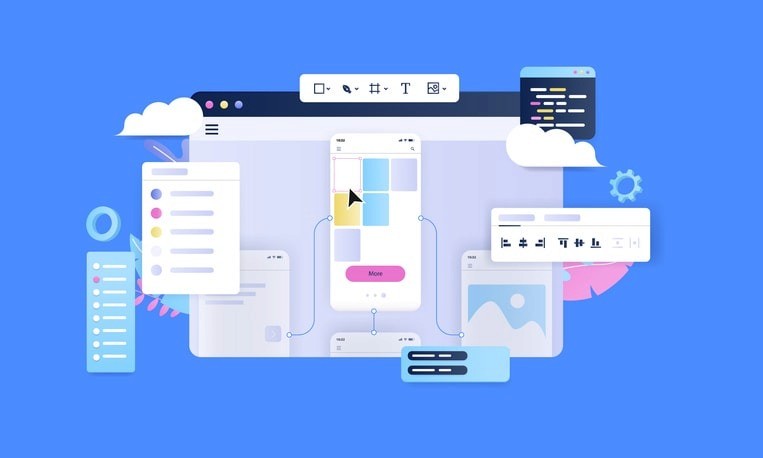
Figma provides robust vector editing capabilities that rival dedicated illustration software. The platform’s auto layout feature revolutionizes responsive design creation, automatically adjusting layouts as content changes, perfect for designing interfaces that work across different screen sizes.
The prototyping tools allow designers to create interactive prototypes directly within the design environment. These prototypes can include complex transitions, animations, and user interactions, enabling teams to test and validate user experiences before development begins. Figma lets designers link frames together, simulating real user flows and making it easier for stakeholders to understand how the final product will function.
Component systems within Figma enable teams to create reusable components that maintain consistency across projects. When a component is updated, all instances automatically reflect the changes, ensuring design consistency while saving significant time during the design process.
Developer Handoff and Code Generation
Figma bridges the gap between design and development through its comprehensive handoff capabilities. The platform automatically generates CSS, iOS, and Android code snippets, making it easier for developers to implement designs accurately. Through dev mode, developers can inspect design specifications, extract assets, and understand spacing and typography without requiring additional tools or plugins.
This streamlined handoff process reduces the back-and-forth communication typically required between design teams and development teams, accelerating the overall product development timeline while maintaining design fidelity.
Figma’s Product Ecosystem
Understanding Figma works requires exploring its complete product ecosystem, which extends beyond basic design functionality to support entire product development workflows.
Figma Design
The core Figma interface provides everything teams need to create sophisticated user interfaces. The platform includes extensive UI kits and design components that help teams establish design systems quickly. The Figma community offers thousands of free templates and ui design resources, allowing designers to leverage existing work and focus on unique product challenges.
Figma offers a robust plugin ecosystem that extends the platform’s capabilities significantly. Plugins can automate repetitive tasks, integrate with external services, and provide specialized functionality for specific design challenges. This extensibility means teams can customize their Figma workflow to match their specific needs and processes.
FigJam
FigJam serves as an online whiteboard for brainstorming and collaborative planning. Teams can use it for user journey mapping, feature planning, and research synthesis. The integration between FigJam and Figma Design files means insights and ideas generated during brainstorming sessions can seamlessly transition into actual design work.
Figma Slides
Figma Slides enables teams to create presentations that incorporate live design elements and interactive prototypes. This functionality is particularly valuable for design reviews and stakeholder presentations, as it allows presenters to demonstrate actual functionality rather than static screenshots.
Benefits of Using Figma

Figma transforms traditional design workflows in several key ways that directly impact product team efficiency and output quality.
Streamlined Team Collaboration
The platform keeps all team members on the same page through its real-time synchronization features. Designers and developers can work simultaneously on design files, reducing the iteration cycles typically required for design approval and implementation. This collaborative approach leads to better communication and faster decision-making throughout the design process.
Cost-Effective Solution
Figma’s pricing model makes professional design tools accessible to teams of all sizes. The free plan provides significant functionality for individual designers and small teams, while paid plans offer advanced features at competitive rates compared to traditional design software licensing costs.
Unified Design Workflow
By combining design, prototyping, and developer handoff capabilities, Figma reduces the need for multiple specialized tools. This consolidation simplifies tool management, reduces training requirements, and creates a more efficient workflow for product teams.
Automatic Version Control
Figma automatically saves all changes, maintaining a complete version history that teams can access at any time. This automatic backup system eliminates the risk of losing work and makes it easy to track design evolution over time or revert to previous versions when needed.
Figma vs. Other Design Tools
Understanding how Figma compares to alternatives helps teams make informed decisions about their design tooling.
Figma vs. Sketch
While Sketch pioneered modern interface design tools, it remains limited to Mac operating systems, creating barriers for cross-platform teams. Figma’s web-based architecture eliminates this limitation, allowing teams to collaborate regardless of their hardware choices. Additionally, Sketch requires external plugins for collaboration features that Figma provides natively, adding complexity and cost to the overall workflow.
Figma vs. Adobe XD
Adobe XD offers strong design capabilities but operates primarily as a desktop application, limiting collaboration compared to Figma’s cloud-native approach. Figma’s real-time collaboration and version control capabilities provide advantages for teams prioritizing seamless collaboration. The learning curve for Figma tends to be gentler, making it more accessible for teams transitioning from other design tools.
Getting Started with Figma
Learning Figma requires no coding experience, making it accessible to designers, product managers, and other stakeholders who need to participate in the design process.
Creating Your Account
Starting with Figma is straightforward, simply visit the website and create a Figma account using your email address. New users can immediately access the free plan, which includes core functionality suitable for personal projects and small team collaboration. The signup process takes minutes, and you can begin using Figma immediately through your web browser.
Learning the Interface
The Figma interface follows intuitive design principles that will feel familiar to users of other creative software. The main workspace includes a toolbar, canvas area, layers panel, and properties panel. Understanding frames, Figma’s equivalent to artboards, is crucial for organizing design work effectively.
Navigation keyboard shortcuts significantly improve efficiency once learned. The platform provides comprehensive onboarding tutorials that guide new users through essential features and workflows, making the initial learning experience smooth and productive.
Building Your Skills
Figma Academy provides official tutorials and courses covering everything from basic interface navigation to advanced prototyping techniques. The Figma community offers additional resources, including templates, tutorials, and best practice guides created by experienced users worldwide.
Practice projects help solidify understanding of core concepts like component creation, auto layout implementation, and prototype development. Many users find that working on real projects while following tutorials accelerates their learning and builds confidence with the platform’s capabilities.
Figma Pricing and Plans

Figma’s subscription-based pricing model accommodates teams of different sizes and needs, from individual designers to large enterprises.
Free Plan
The free plan provides substantial functionality, including unlimited personal files, three team projects, and access to Figma community resources. This tier includes core design and prototyping features, making it perfect for individual designers, students, and small teams exploring the platform’s capabilities.
The free plan includes unlimited drafts, allowing users to experiment and iterate without worrying about file limits. However, collaboration is limited to three editors per team, and advanced features like unlimited version history require paid plans.
Paid Plans
Professional plans unlock unlimited team projects, advanced prototyping features, unlimited version history, and enhanced security options. The Organization plan adds team libraries, advanced permissions management, and consolidated billing for larger teams.
Enterprise plans provide additional security features, single sign-on integration, and dedicated customer support suitable for large organizations with specific compliance requirements. The pricing structure scales with team size and feature requirements, ensuring teams only pay for capabilities they actually need.
Conclusion
Figma has reshaped how modern product teams collaborate by combining powerful design tools with real-time teamwork and cross-platform accessibility, making it far easier for designers and developers to stay aligned throughout a project. Its cloud-based structure removes workflow barriers, keeps everyone synced during fast iterations, and supports seamless handoffs that speed up product development without sacrificing quality.
For AI-focused teams or recruiters supporting technical organizations, Figma’s streamlined collaboration can be a major advantage when building or scaling digital products. And while Figma improves design workflows, platforms like Fonzi AI help organizations strengthen the talent side of the equation by connecting top AI engineers with companies that need them, ensuring teams not only work efficiently but also have the right people in place. Whether you’re prototyping a new feature or refining an enterprise product, Figma’s flexibility and Fonzi’s talent-matching capabilities make a powerful combination for high-performing, AI-driven teams.
FAQ
Can I use Figma offline?
How does Figma handle large design files?
Can developers access designs without a Figma account?
What happens to my files if I downgrade my plan?
Does Figma integrate with project management tools?


