Wearable App Development: How It Works, Use Cases, and Getting Started
By
Liz Fujiwara
•
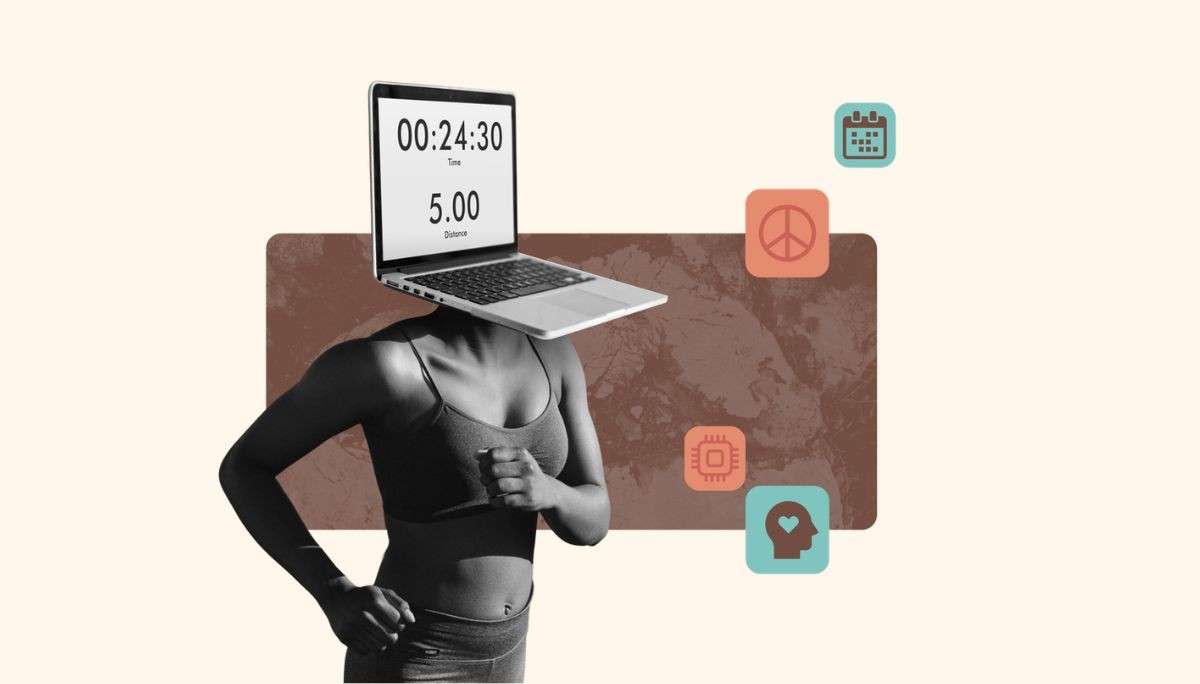
Wearable technology has come a long way since the early fitness trackers of 2014. What started as simple step counters has evolved into regulated medical tools, safety equipment, and productivity companions. Apple Watch’s FDA-cleared ECG feature for atrial fibrillation detection reflects this shift toward clinical-grade health monitoring.
This article covers what wearable apps are, how they differ from standard mobile apps, the development process from prototype to production, and where AI engineers fit in. Whether you’re building for smartwatches, healthcare wearables, or industrial AR headsets, you’ll find practical guidance here.
Key Takeaways
Wearable apps differ from mobile apps in key ways, including glanceable UX built for 1–3 second interactions, tighter hardware constraints like battery life and screen size, and architectures that often rely on companion apps or standalone connectivity.
The highest-value use cases today include healthcare wearables for remote patient monitoring and post-surgery care, fitness tracking, NFC payments, smart glasses for field operations, and industrial safety applications.
AI has become a major differentiator in wearable apps, powering features like anomaly detection, personalization, and on-device inference. Fonzi helps companies hire elite AI engineers for these projects, with most hires completed in roughly 3 weeks.
Key Differences Between Wearable Apps and Standard Mobile Apps
Consider the difference between checking your heart rate during a 5K run versus analyzing your workout data afterward on your phone. On your wrist, you need instant, glanceable information while your hands are occupied. On your phone, you can scroll through charts, adjust settings, and compare weeks of data. This difference in context shapes everything about wearable app development.
Device Form Factors and Constraints
Wearable devices operate under far tighter hardware limits than smartphones. A smartwatch might have 1–2GB of RAM versus 8GB+ on a phone. Smart rings have no visual display at all, relying solely on haptics and companion apps. Battery life is also critical, which makes efficient on-device preprocessing of high-frequency sensor data, like 100Hz accelerometer streams, essential.
Interaction Models
Wearable apps prioritize glanceability, with interactions lasting 1–3 seconds, minimal text, and large tappable targets. Users often interact through voice commands (Siri, Google Assistant), haptic feedback, and simple gestures rather than the more complex multitouch patterns available on phones. The interface must communicate the most important information instantly.
Architecture Types
Wearable app architectures divide into three main categories:
Companion apps: Logic runs on the paired phone; the watch serves as a display and sensor hub
Standalone apps: Cellular or Wi-Fi enabled watches run independently (e.g., watch-only workouts)
Hybrid architectures: Device handles local processing while cloud AI manages heavy computation
Data Patterns and Platform Specifics
Wearable sensors stream continuous data, including PPG for heart rate, accelerometer data for motion, and GPS for location tracking. Efficient data transmission and selective cloud sync help preserve battery life. Platforms like watchOS 11+ and Wear OS 4+ also enforce strict power budgets through their SDKs. For AR/VR, visionOS requires specific spatial interaction patterns, including gaze-based selection.

Core Types of Wearable Devices and Applications
In 2026, wearable solutions range from consumer smartwatches to FDA-cleared medical patches and industrial AR helmets. Understanding these categories helps founders identify where their product could live.
Smartwatches and Fitness Bands
Smartwatches (Apple Watch Series 9/Ultra 2, Galaxy Watch6, Pixel Watch) and fitness bands (Fitbit Charge, Garmin Vivosmart) dominate the consumer market with 70%+ share. Main app patterns include:
Workouts and fitness tracking
Heart rate and HRV monitoring
Sleep patterns analysis and staging
Notifications and quick replies
NFC payments (Apple Pay, Google Pay)
Development stacks typically use Swift/SwiftUI for iOS wearable app development and Kotlin/Jetpack Compose for Android wearable app development. Startups leverage AI on these smart devices for personalized training plans, recovery scoring, and early anomaly detection like atrial fibrillation alerts.
Healthcare and Medical Wearables
Regulated wearable health devices include ECG patches, continuous glucose monitors (Dexcom G7), blood pressure watches, and remote patient monitoring kits. Apple Watch’s ECG is cleared as a Class II device in multiple regions, enabling real-time health monitoring at scale.
Medical wearable apps must support FDA, CE, HIPAA, and GDPR compliance, along with end-to-end encryption for sensitive user data, audit trails, and EHR integration with systems like Epic or Cerner. This is also where AI engineers build risk stratification models and alert prioritization algorithms on time-series health data.
Smart Eyewear, AR, and VR Headsets
Smart glasses and head-mounted displays like Microsoft HoloLens 2, Ray-Ban Meta glasses, and Apple Vision Pro support virtual reality and augmented reality applications. Common use cases include:
Remote assistance for field technicians
Step-by-step assembly instructions
Surgical overlays in operating rooms
Immersive training and logistics picking
Development uses visionOS with Swift/RealityKit, Unity/Unreal for VR, and vendor SDKs. AI engineers build computer-vision models for object detection, pose estimation, and spatial understanding.
Smart Rings and Connected Jewelry
Smart rings (Oura Ring Gen3, Ultrahuman Ring Air) track HRV, temperature, sleep, and menstrual cycles with no visual UI. The core experience lives in mobile companion apps and cloud analytics. Common use cases include 24/7 wellness scoring, fertility tracking, stress monitoring, and frictionless NFC payments. Personalization and scoring logic are often ML-driven, making AI talent especially valuable.
Ear-Worn Devices and Wearable Audio
Hearables like AirPods, Galaxy Buds, and translation earbuds support adaptive noise cancellation, live translation via NLP, voice coaching, and subtle health tracking from ear canal PPG. AI powers speech recognition, translation, and personalized sound equalization.
Specialized and Industrial Wearables
Safety vests with wearable sensors, posture-correction devices, GPS trackers, smart badges, and smart helmets serve industrial environments. These products often require ruggedization, offline mode, long battery life (7–14 days), and fleet management capabilities. AI can support predictive maintenance, unsafe movement detection, and automated incident logging.
How Wearable App Development Works (Step-by-Step)
The wearable app development process typically includes three layers: device app, mobile/desktop companion app, and cloud backend with analytics. Here’s a pragmatic walkthrough from idea validation to launch.
1. Product Discovery and Use-Case Definition
Start by identifying a specific job-to-be-done: reducing hospital readmissions for heart-failure patients or cutting warehouse picking errors by 30%.
Conduct stakeholder interviews with users (patients, athletes, technicians), buyers (hospital admins, ops leaders), and technical teams
Run competitive analysis on 3-5 existing Wear OS apps or watchOS apps, noting feature gaps and review complaints
Define measurable success metrics before building: daily wear time, adherence rates, reduced support tickets, NPS scores
2. Choosing Platforms, Devices, and Architecture
Platform selection depends on audience and domain. US clinicians favor iOS/watchOS; industrial deployments may prefer HoloLens or Android-based wearables.
Key trade-offs:
Companion apps: Lower power consumption, faster development, but phone dependency
Standalone apps: Better offline behavior, but 2-3x battery drain and higher complexity
Hardware choices: Off-the-shelf Apple or Samsung devices versus custom hardware requiring 12-24 months of design and regulatory approvals
Early-stage startups often start phone-centric with simple watch extensions, evolving toward autonomy as usage patterns clarify.
3. UX Design for Glanceable, Context-Aware Experiences
Designing for limited screen space requires different principles than mobile app development:
Minimal text, strong contrast, large tappable targets
One primary action per screen
Show only 1-2 key health metrics (current heart rate, time to next medication)
Use context awareness such as time of day, location tracking, and accelerometer data to auto-detect workouts or switch modes
Accessibility matters: voice control, haptic cues, and simple gestures support older adults and users with disabilities, enabling a seamless user experience.
4. Development: From Prototype to Production
Build a vertical slice MVP: one device platform, 1-2 critical flows, and basic analytics backend.
Typical development services stacks:
watchOS: Swift/SwiftUI + WatchKit + HealthKit
Wear OS: Kotlin/Jetpack Compose + Wear OS SDK + Health Connect
Cross platform companion apps: React Native or Flutter (not for core wearable logic due to performance limits)
Integrate sensors via HealthKit/Health Connect, GPS, accelerometer, PPG, and Bluetooth Low Energy for custom devices. AI fits here through data pipelines, classification models (fall detection), and scoring algorithms (fatigue, stress).
This is typically when teams realize they need specialized AI engineers for signal processing, tinyML, and MLOps. Fonzi can add that talent without disrupting sprint cadence.
5. Testing, Security, and Compliance
Multi-layer testing is essential:
Unit tests and device emulators
Physical device testing for motion, battery life, and connectivity edge cases
Data security best practices include end-to-end encryption for health data, secure key storage via device secure enclaves, OAuth2/OIDC authentication, and data protection through role-based backend access.
Regulatory considerations vary by domain: HIPAA for US healthcare, GDPR in the EU, FDA/CE marking for medical devices, PCI DSS for payment features. Small pilots (50-200 users) validate accuracy and UX before broad rollout.
6. Launch, Monitoring, and Iteration
App-store submission for watchOS and Wear OS has specific requirements. Apple’s review can take 1-2 weeks and enforces strict power budgets.
From day one, embed analytics tracking:
Session length and daily active devices
Task completion and drop-off steps
Error reports by device/OS version
Where Wearable Apps Shine: High-Value Use Cases
Healthcare and Telemedicine
Remote patient monitoring programs have reduced heart failure readmissions by 20–40% since the early 2020s. Core features include continuous vitals tracking such as HR, SpO2, blood pressure, and glucose, along with threshold alerts, medication reminders, and telehealth visits initiated from the watch.
Examples include Apple Watch AFib alerts, Dexcom CGM watch integrations, and hospital RPM platforms connecting to Epic or Cerner. AI models can rank alerts so clinicians see the highest-risk patients first, making this a strong use case for elite AI engineers.
Fitness, Sports, and Human Performance
Athletes and teams use wearables to monitor training load, recovery, and injury risk. Garmin training readiness, WHOOP recovery scores, and Strava analytics are strong examples of this category.
AI-driven personalization includes adaptive training plans, automatic sport detection such as running versus cycling, and early injury warnings based on gait irregularities. Monetization typically follows subscription models for advanced analytics.
FinTech, Payments, and Authentication
Smartwatches and rings support NFC payments, transit passes, and access control. Apple Pay on Apple Watch processes billions in transactions annually.
AI can also support fraud detection by correlating geolocation, behavioral patterns, and device telemetry in real-time data collection scenarios.
Industrial, Logistics, and Field Operations
AR-assisted workflows let technicians view schematics hands-free. Logistics companies also equip staff with scanners and wearables to reduce picking errors.
Computer vision and on-device AI can recognize components, detect unsafe postures, and automatically log completed steps, enabling smoother integration with existing operations.
Workplace Productivity and Customer Experience
Smart badges track occupancy, wearables in hospitality provide discreet staff alerts, and retail associates use watches for communication. AI can surface the next best action, helping teams respond faster.
Privacy considerations require anonymization, opt-in policies, and clear boundaries around employee monitoring.
Comparing Wearable App Architectures and When to Use Them
This comparison helps you choose the right wearable app development solutions for your use case.
Architecture Type | Description | Typical Use Cases | Pros | Cons |
Companion (Phone-Centric) | Logic runs on paired phone; watch displays and collects sensor data | Step counters, notification mirrors, basic fitness tracking | Faster development, lower power usage, simpler testing | Phone dependency, limited offline capability |
Standalone (Watch-Centric) | Watch has cellular/Wi-Fi; runs independently | Medical RPM, emergency alerts, watch-only workouts | Works without phone, better for critical alerts | Higher battery drain (20-30%), more complex |
Hybrid (Device + Cloud AI) | Local processing on device with cloud AI for heavy computation | AR industrial guides, personalized coaching, sleep staging | Rich features, strong personalization, scalable | Latency concerns, complex testing, connectivity required |
Building AI-Powered Wearable Apps: Why Your Hiring Strategy Matters
By 2026, competitive wearable apps almost always include AI whether for anomaly detection, personalization, or computer vision. Hiring the right engineers is now a core strategic issue, not a nice-to-have.
Common AI workloads in wearables include:
Signal processing (ECG denoising, PPG filtering)
Activity recognition (95%+ accuracy via gyro/accelerometer fusion)
Sleep staging via ML on time-series data
On-device tinyML (compressing models to <1MB for watches)
AR/VR perception (object detection, pose estimation)
These workloads face constraints: 100-500mW power budgets, privacy mandates requiring on-device processing, and the need for MLOps for continuous learning.
Challenges of Hiring AI Engineers for Wearable Projects
Finding engineers who understand both ML and embedded/edge constraints is difficult. Common challenges include:
Shortage of talent combining ML expertise with low-power systems experience
Noisy signal data requiring specialized preprocessing knowledge
Regulatory know-how for healthcare quality management systems
Need for production-grade code, not just notebook prototypes
Conventional hiring cycles of 3-6 months with inconsistent screening misalign with startup wearable app development timelines for MVPs.
Getting Started: Practical Steps for Founders and CTOs
Here’s a checklist for the first 60-90 days of a wearable product initiative.
1. Validate the Problem with Real Users
Interview 10–20 potential users to understand workflows, constraints, and attitudes toward wearing devices all day. Run low-fidelity tests with paper prototypes or Figma flows to confirm whether a wearable adds real value over a standard app. Capture objections early, including comfort, privacy, and reliability, and use them to shape requirements.
2. Pick a Focused v1 Scope and Platform
Choose one core outcome, such as reducing rehospitalizations by 15% or cutting assembly errors by 25%, rather than building around a broad feature list. Start with the platform that matches your user base: watchOS for iPhone-heavy markets, Wear OS for Android-dominant regions, or a specific AR headset for industrial pilots. Limit v1 to 1–2 hero flows.
3. Assemble the Right Team (Including AI Talent)
Core roles usually include a mobile or wearable engineer, backend engineer, product designer, and at least one AI/ML engineer if the product goes beyond basic logging. Many teams underestimate how difficult it is to turn raw sensor data into reliable insights.
4. Plan Data, Security, and Compliance from Day One
Define what data you actually need, including sampling rates and retention windows, instead of logging everything. Choose cloud providers with region-appropriate compliance, such as HIPAA-eligible services or EU data residency for GDPR. For healthcare and financial apps, involve legal counsel early.
5. Pilot, Measure, and Iterate Quickly
Start with a scoped pilot group (one clinic, one warehouse) and a fixed 8-12 week test period. Track:
Engagement: daily wear time, active sessions (target 6+ hours/day)
Outcomes: error rates, readmission rates, training completion
Satisfaction: NPS, qualitative feedback
AI engineers use pilot data to refine models and personalize experiences before broader rollout.
Conclusion
Wearable apps have shifted from novelty to infrastructure, powering healthcare, industry, and everyday life through always-on, context-aware experiences. From medical patches to AR helmets, wearable devices now create opportunities across nearly every sector.
Success in wearable app development comes down to three things: choosing the right use case, designing for quick and intuitive interactions, and building strong AI capabilities that turn sensor data into useful insights.
Ready to build your wearable app with the right AI talent? Talk with Fonzi about your next wearable or AI initiative.
FAQ
What is a wearable app and how is it different from a regular mobile app?
What platforms and tools are used for wearable app development?
How is wearable app development used in healthcare specifically?
Should I hire a wearable device app development company or build in-house?
What programming languages and skills do developers need for wearable apps?


