Multitenant Container Databases Explained: Architecture and Backups
By
Liz Fujiwara
•
Oracle Database 21c and the upcoming 26ai releases no longer support non-CDB architecture, making multitenant the default for SaaS, analytics, or AI workloads.
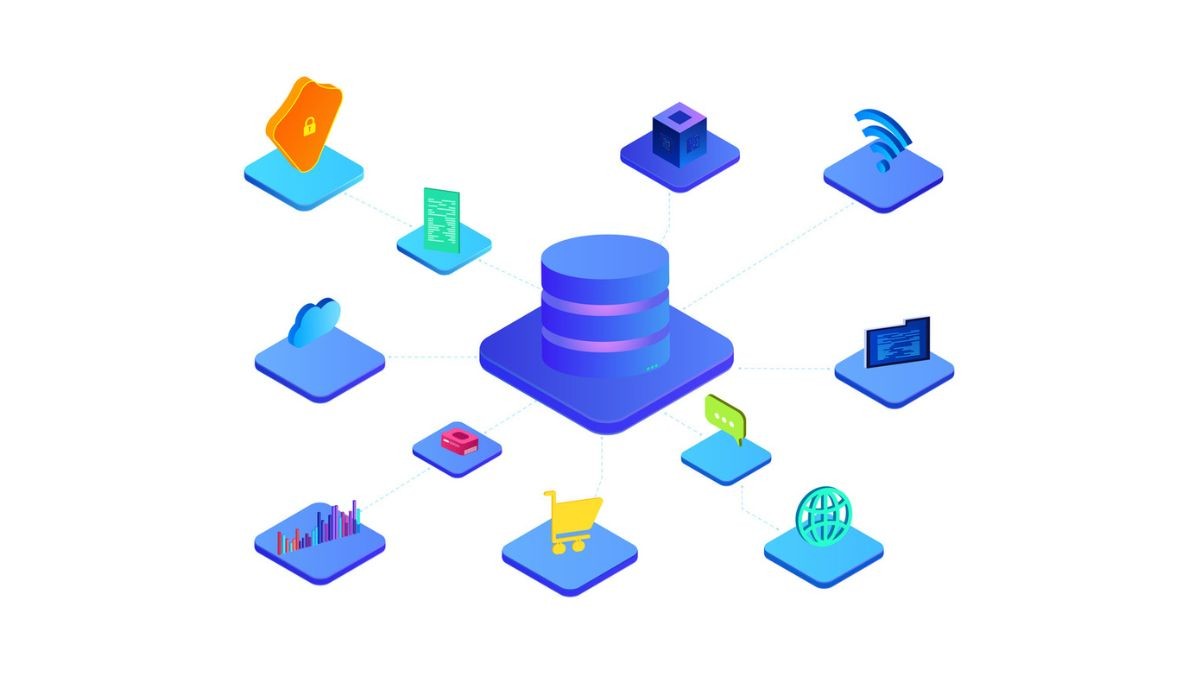
A multitenant container database (CDB) hosts multiple pluggable databases (PDBs) for different customers, applications, or environments, with each PDB appearing independent while the infrastructure handles resource sharing and management.
For founders, CTOs, and AI leaders, understanding CDB/PDB design is key for cost, isolation, and operational risk, affecting data security, backups, and scaling strategies.
This article covers architecture fundamentals, design choices, backup and recovery strategies, and how these patterns mirror scalable and consistent hiring workflows.
Key Takeaways
A multitenant container database (CDB) hosts multiple pluggable databases (PDBs), giving each tenant isolation while sharing CPU, memory, and background processes across the system.
Multitenant-aware backup strategies such as RMAN CDB backups, PDB point-in-time recovery, and snapshot carousel features are critical to avoid over-protecting or under-protecting individual tenants.
This model maps to modern AI products, with per-customer PDBs, regional CDBs, and fast cloning for dev, test, experimentation, and model evaluation, and the same principles underpin how Fonzi streamlines hiring of elite AI engineers at scale with standardized infrastructure and isolated, personalized pipelines.
Multitenant Architecture Basics: CDBs, PDBs, and Terminology
A container database (CDB) is the physical Oracle database instance, and a pluggable database (PDB) is the logical tenant that lives inside it. Oracle first introduced the multitenant feature in 12c (2013), and Oracle 21c (2021) became the first release where non-CDB architecture was fully desupported on-premises.
Here are the key containers you’ll work with:
CDB$ROOT (root container): The CDB root container stores Oracle supplied metadata and common objects shared across all PDBs. This is where system-wide data dictionary information lives.
PDB$SEED (seed PDB): A system supplied template used to create new PDBs quickly. Every CDB includes exactly one seed PDB that serves as the baseline for provisioning.
Application containers: Optional since 12.2, these let you group related PDBs belonging to a specific application—like a sales application or human resources system—under a common application root with shared schemas and code.
User created PDBs: These are the actual tenant databases hosting application data, database users, schema objects, and business logic.
The split data dictionary concept is central to Oracle multitenant architecture. Common objects live in the root container, while local objects and tenant-specific structures live per PDB. From inside a PDB, it appears like a normal pre-12c single container database. This design allows common users and related structures to operate seamlessly across containers.
Containers are identified by a numeric CONID and a unique database name within the CDB namespace. CDB views, such as CDB_TABLES, show cross-container data when queried from the root, making it easier to manage large deployments.
Container Type | Purpose | Key Characteristics |
CDB$ROOT | System-wide management | Stores metadata, manages common objects |
PDB$SEED | Template for new PDBs | Read-only, used for fast provisioning |
Application Root | Group related apps | Shares code required across application PDBs |
User PDBs | Tenant data and apps | Isolated schemas, data files, users |
Oracle’s deprecation of non-CDB started in 12.1.0.2, with full desupport from 21c onward. New projects in 2026 should assume multitenant model from day one.
From Non-CDB to Multitenant: Practical Migration and Design Choices
Many enterprises still run 11g or 12c non-CDB systems and must migrate to multitenant for long-term support, especially as Oracle AI Database 26ai rolls out. This transition requires careful planning around both the technical architecture and logical design decisions.
Common migration paths include:
Convert non-CDB to PDB: Use DBMS_PDB.DESCRIBE to generate metadata, then CREATE PLUGGABLE DATABASE … USING to plug the converted database into an existing CDB.
Unplug/plug from upgraded 12c: If you’ve upgraded a 12c non CDB in-place, you can unplug it and plug into a target CDB on 19c or later.
Full Data Pump migration: For complex scenarios, export schemas and reimport into a fresh PDB which is more time-consuming but offers cleanup opportunities.
For new systems, critical design decisions include:
Whether each customer, business unit, or environment (dev/test/prod) gets its own PDB
Whether to group related tenants into application containers for shared schemas and portable collection of application code
How to balance consolidation density against isolation requirements
Licensing realities matter. Oracle 19c allows up to three user-created PDBs per CDB without Multitenant Option licensing. Larger fleets or additional user-created containers require the full option, making consolidation planning important for cost management.
Careful logical design, such as one PDB per customer, region, or workload tier, simplifies later operations like cloning, patching, and backups. A PDB hosting EU customer data can be managed, backed up, and relocated independently from US tenant databases.
Creating, Cloning, and Moving Pluggable Databases
Most operational work in a multitenant environment revolves around provisioning, copying, and relocating PDBs quickly without impacting other tenants. This flexibility is one of the primary advantages over traditional single-tenant deployments.
Initial Creation
Use PDB$SEED as a fast template; new PDBs inherit structure without copying unnecessary data
Oracle Managed Files (OMF) simplifies data files naming and placement across following containers
DBCA (Database Configuration Assistant) or SQL CREATE PLUGGABLE DATABASE commands handle provisioning
Each new PDB appears isolated with its own schemas, users, and persistence layer
Cloning Options
Local clones within same CDB: Perfect for dev/test or A/B environments; create copies in seconds using thin provisioning
Remote clones between CDBs: Use database links to clone a PDB from one CDB to another, even across data centers
Refreshable clones: Introduced in 12.2, these provide near-real-time read-only copies that sync automatically; ideal for reporting
Moving PDBs
Unplug/plug: Generate an XML manifest of the existing PDB and plug it into another CDB; common in patching and upgrade scenarios
Online relocation (12.2+): Move a running PDB to a remote CDB with minimal downtime; essentially live migration for tenant database workloads
Proxy PDB: Create a reference to a PDB in a remote CDB for cross-database queries without full data movement
This ability to clone and relocate tenant databases quickly enables creating per-customer sandboxes, per-team experimentation PDBs, and blue-green cutovers. For AI workloads, teams can build disposable environments for model evaluation and then remove them without affecting production.
Backup and Recovery for Multitenant Container Databases
Backup strategies must be multitenant-aware: protecting both the CDB as a whole and individual PDBs, with clear RPO/RTO per tenant. A one-size-fits-all approach either over-protects low-value tenants or under-protects critical ones.
RMAN Backup Options
Full CDB backup: Captures the root container, seed PDB, and all PDBs in one operation. This is the simplest approach but has the largest footprint.
Subset PDB backup: Back up only specific set of PDBs based on tenant tier or criticality
Incremental backups: Reduce backup windows and storage by capturing only changed blocks since last backup
Archive log backups: Essential for point-in-time recovery capabilities.
Point-in-Time Recovery (PITR)
Restore a single PDB to a specific SCN or timestamp while leaving other PDBs at current time
Critical for recovering from application bugs, accidental deletes, or data corruption in one tenant
Does not require full CDB downtime; other tenants remain operational
Requires auxiliary instance for PDB PITR in most configurations
Snapshot Features
Snapshot carousel (Oracle 18c+): Automatic periodic snapshots of PDBs for fast rollback
Useful for pre-deployment safety nets and quick dev/test rollback scenarios
Snapshots leverage storage-efficient thin cloning where supported
Can maintain multiple snapshot points per PDB for high availability scenarios
Operational Patterns for Data Protection
Tenant Tier | Backup Frequency | Retention | PITR Window |
Gold | Every 4 hours | 30 days | 7 days |
Silver | Daily | 14 days | 3 days |
Bronze | Weekly | 7 days | 24 hours |
Implement separate backup policies for each tenant tier and regularly test PDB-level restore drills. Recovery for a single tenant issue should never require full CDB downtime. SAP HANA follows similar patterns with its MDC configuration, where each tenant database maintains independent backups that can be recovered separately.
Performance, Resource Management, and Operations at Scale
Multitenant changes performance tuning fundamentally. Shared instance resources such as CPU, memory, and I/O must be apportioned across many PDBs, and noisy neighbors must be controlled to maintain data security and service levels.
Instrumentation and Monitoring
AWR (Automatic Workload Repository) and ASH (Active Session History) reports work at CDB level
PDB-scoped reports available since 12c for tenant-specific analysis
CDB views vs DBA views: cross-tenant monitoring from root requires CDB_ prefixed views
Memory and resources consumption visible per-PDB through V$PDBS and related structures
Oracle Resource Manager
Set CPU, I/O, and parallelism limits per PDB to control resource consumption
Reserve minimum CPU for premium tenants with guaranteed resource allocations
Cap burst capacity for lower tiers to prevent noisy neighbor effects
Example: Production PDB gets 60% CPU minimum, dev PDBs share remaining 40% with caps
High Availability
Data Guard protects entire CDBs by default, including all PDBs
PDB-level standby available with 12.2+ for granular DR strategies
Refreshable PDBs support read-scaling and DR scenarios
Switchover operations (18c+) enable planned maintenance with minimal disruption
Oracle Cloud integration supports automated failover for managed CDBs
Operational Checklist
Standardize naming conventions across all user created PDBs
Baseline resource plans per PDB class (gold/silver/bronze)
Automate provisioning, patching, and retirement using scripts or orchestration tools
Document physical level layout of data files per tenant for recovery planning
Learn multitenant administration patterns through hands-on practice environments
Conclusion
CDB/PDB multitenancy is now the default Oracle model, enabling secure consolidation, fast cloning, and flexible backups while requiring careful resource management and recovery planning. Founders, CTOs, and AI leaders who understand these trade-offs can design resilient, scalable data platforms that support rapid iteration and customer isolation. The same principles of standardization with isolation, fast provisioning, and scalable management apply to building and scaling AI teams.
Moreover, Fonzi can always help you source, evaluate, and hire top-tier AI engineers who understand modern database architecture, distributed systems, and production ML workflows, delivering results in weeks rather than months.
FAQ
What is a multitenant container database and how does it work?
What’s the difference between a multitenant database and a container database?
How do you back up a multitenant container database?
What are the advantages of using a multitenant architecture over single-tenant?
How do pluggable databases (PDBs) fit into a multitenant container database?


