System Context Diagrams: Examples, Templates & How to Create One
By
Ethan Fahey
•
Imagine a seed-stage startup rolling out an AI-powered support chatbot. Everyone agrees on the goal: an LLM that handles tier-one tickets, syncs with the CRM, and escalates tricky cases to humans; but six weeks in, things unravel. Engineers assumed real-time CRM lookups, product expected nightly batch syncs, and authentication was never clarified, and compliance only later learned customer chats would live in a third-party vector database. The result is familiar: weeks of rework, a missed launch, and a lot of frustration that could have been avoided.
This kind of misalignment is common in AI projects, and it’s exactly what a system context diagram is designed to prevent. A good context diagram lays out the full system and its surroundings, including users, internal services, external APIs, data sources, and regulatory touchpoints, on a single, easy-to-understand page. For LLMs, recommendation systems, or fraud models, it forces early clarity on where data comes from, how models interact with other systems, and who’s responsible for oversight. These are the same fundamentals strong AI engineers think through instinctively, which is why platforms like Fonzi emphasize them when evaluating and matching talent. By focusing on real-world system design skills, Fonzi helps teams hire engineers who catch these issues early on, before they turn into costly rewrites.
Key Takeaways
A system context diagram is a high-level visual representation that shows your system as a single box, surrounded by all the users, external systems, and data flows it interacts with, without revealing any internal implementation details.
These diagrams prevent scope creep and costly rework by aligning non-technical stakeholders, investors, and engineering teams on exactly what a system will and won’t do before anyone writes a line of code.
System context diagrams are especially valuable for AI projects (LLM assistants, recommendation engines, ML pipelines) where unclear boundaries around data sources, model inputs, and integration points can derail entire initiatives.
Fonzi, an AI talent platform, uses system context diagrams internally to design its own assessment and hiring workflows; the same structured thinking that enables it to place elite AI engineers within 3 weeks.
What Is a System Context Diagram?

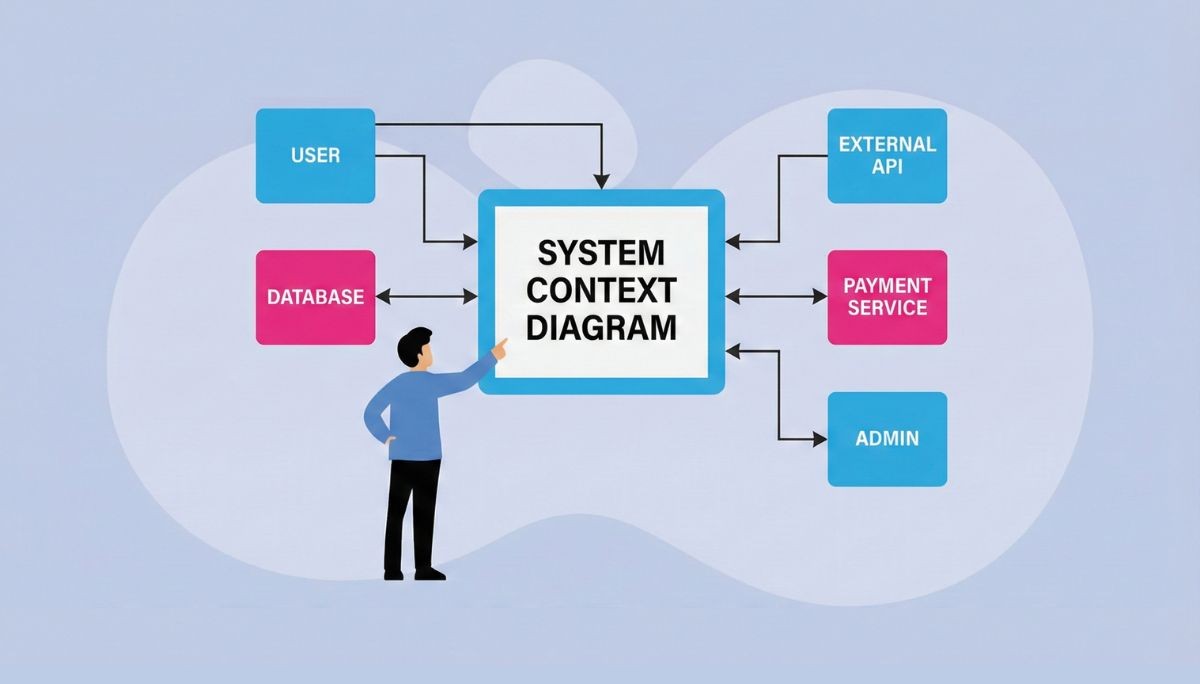
A system context diagram is a Level 0 representation of a software system that shows the central system as a single box or circle and its interactions with external entities via labeled data flows. Think of it as a “black box” view: you see what goes in and what comes out, but the internal workings remain hidden.
This intentional simplicity is the point. The diagram ignores internal components like microservices, databases, message queues, and caching layers. Instead, it answers one question: who or what interacts with this system, and what information passes between them?
The term “system context diagram” is sometimes used interchangeably with “context diagram,” but there’s a subtle distinction. In software engineering and AI system design, a system context diagram specifically refers to the highest-level view used in product discovery, architectural reviews, and stakeholder alignment. It’s the diagram you show your board, your new engineering hire, and your compliance officer.
Typical stakeholders who rely on these diagrams include:
Founders and CTOs who need to explain the product to investors
Product managers scoping new features or integrations
Solution architects designing integration patterns
Data and ML leads clarifying model inputs and outputs
Compliance officers reviewing data flows for regulatory requirements
Enterprise architects evaluating vendor solutions
Visually, the finished diagram should look straightforward: a central labeled system block (like “AI Hiring Platform” or “Fraud Detection Service”) sits in the middle. Surrounding it are rectangles representing users and external systems. Directional arrows with short labels connect everything, showing how data moves in and out.
Core Components of a System Context Diagram
Nearly every system context diagram for modern software, whether it’s a SaaS platform, an internal tool, or an ML pipeline, uses the same three key elements. Once you understand these, you can create context diagrams for virtually any system.
The Central System
This is a single shape labeled with your product or service name. It represents the entire system under design, treated as a black box. For example:
“Fonzi Assessment Engine”
“Customer Support Chatbot”
“Payment Processing Service”
“Data & ML Platform”
The central system is what you own and control. Everything else sits outside its boundary.
External Entities
These are the people, systems, and organizations that interact with your central system. They’re drawn around the system and can include:
People: Customers, support agents, hiring managers, candidates, data scientists
Systems: CRM, ATS, data warehouse, authentication service, payment gateway
Organizations: Payment processors, regulators, partner companies, background check providers
External entities interact with your system but aren’t part of it. Identifying all relevant external entities early prevents integration surprises later.
Data Flows
Arrows connect external entities to your central system, showing the direction and type of information exchanged. Good labels are short and action-oriented:
“Submit Application”
“Send Assessment Results”
“Sync Job Posting”
“Return Payment Authorization”
“Stream Event Data”
The key is keeping labels in plain English so non-technical stakeholders can read the diagram without a decoder ring.
Stylistic Conventions
Most teams adopt a few simple conventions to keep diagrams readable:
Use different border styles or colors to distinguish human actors from external systems
Limit the number of data flows to avoid visual clutter
Keep everything readable on a single slide or printed page
Use consistent arrow styles (solid for synchronous calls, dashed for async)
Why System Context Diagrams Are Critical for AI and Software Projects

The business value of a well-crafted system context diagram compounds over time. Teams that create one early in the development process report faster alignment, reduced rework, fewer integration failures, and clearer security posture. For AI-heavy systems launched in 2023–2026, this value multiplies.
Stakeholder Clarity
A one-page context diagram lets non-technical founders, investors, legal teams, and engineers agree on what a system will and won’t do before anyone writes specifications. When project stakeholders share the same mental model, meetings get shorter, and decisions get faster.
Scope Definition
Scope creep kills projects. By marking the boundary of “this release” versus “future phase” directly on the context diagram, teams protect timelines and budgets. If someone asks, “Can we also integrate with X?” the diagram makes it easy to discuss whether X belongs in the current system’s scope or a future iteration.
Risk Reduction
Context diagrams provide early exposure of fragile dependencies:
Reliance on a beta API that might change
A single-vendor LLM with no fallback
An unverified data source feeding critical models
Sensitive data (PII, health records, financial data) flowing across trust boundaries
When you can see where data flows cross compliance-relevant boundaries, GDPR reviews and SOC 2 audits become much simpler.
AI-Specific Benefits
For AI projects, context diagrams offer unique advantages. Mapping model inputs, outputs, training data sources, and human feedback loops makes it easier to reason about:
Model governance and auditability
Data lineage for debugging and compliance
Observability requirements
Where human review is needed in the pipeline
Complex systems with ML components often have non-obvious external dependencies. A context diagram forces you to enumerate them before they become production surprises.
System Context Diagram Examples for Real-World Systems
Abstract definitions only go so far. Let’s walk through four concrete examples that illustrate how context diagrams work for different system types. Each example describes the central system, external entities, and key data flows.
Example 1: AI-Powered Customer Support Chatbot (2026 SaaS Tool)
Central System: Customer Support Chatbot Service
External Entities:
End Users (customers seeking support)
Support Agents (human escalation path)
Knowledge Base (documentation, FAQs)
Authentication Service (user identity verification)
Analytics Platform (conversation metrics, model performance)
LLM Provider (external AI model API)
Key Data Flows:
End Users → Chatbot: “Submit Support Query”
Chatbot → End Users: “Return Response”
Chatbot → Knowledge Base: “Query Articles”
Chatbot → Support Agents: “Escalate Ticket”
Chatbot → Analytics Platform: “Log Conversation Events”
Chatbot → LLM Provider: “Generate Response”
This example shows how even a seemingly simple chatbot has multiple external connections that need explicit design.
Example 2: Online Marketplace Platform
Central System: Marketplace Core
External Entities:
Buyers (consumers browsing and purchasing)
Sellers (merchants listing products)
Payment Gateway (transaction processing)
Shipping Provider (fulfillment and tracking)
Fraud Detection Service (risk assessment)
Email Service (notifications)
Key Data Flows:
Buyers → Marketplace: “Place Order,” “Submit Review”
Marketplace → Buyers: “Order Confirmation,” “Tracking Updates”
Sellers → Marketplace: “List Products,” “Update Inventory”
Marketplace → Payment Gateway: “Process Payment”
Marketplace → Shipping Provider: “Create Shipment”
Fraud Detection Service → Marketplace: “Risk Score”
Example 3: HR Tech / AI Hiring Platform (Like Fonzi)
Central System: AI Hiring & Assessment Platform
External Entities:
Candidates (applying for positions)
Hiring Managers (reviewing and selecting candidates)
Applicant Tracking System (job requisitions, status updates)
Coding Challenge Runner (technical assessment execution)
Email Provider (notifications, interview invites)
Background Check Provider (verification services)
Key Data Flows:
Hiring Managers → Platform: “Submit Job Requirements”
Platform → Hiring Managers: “Deliver Candidate Shortlist,” “Assessment Results”
Candidates → Platform: “Submit Application,” “Complete Assessment”
Platform → Candidates: “Send Interview Invite,” “Status Update”
Platform → ATS: “Sync Candidate Status”
Platform → Coding Challenge Runner: “Execute Technical Assessment”
This diagram shows how a platform like Fonzi sits between candidates and hiring managers while orchestrating multiple external systems to deliver a seamless hiring experience.
Example 4: Internal Data Platform + ML Pipeline
Central System: Data & ML Platform
External Entities:
Product APIs (event sources)
Data Warehouse (storage and querying)
BI Tool (reporting and dashboards)
External Data Providers (enrichment data)
MLOps Orchestrator (model training and deployment)
Monitoring System (alerts and observability)
Key Data Flows:
Product APIs → Platform: “Stream Events”
Platform → Data Warehouse: “Write Processed Data”
Platform → BI Tool: “Expose Query Interface”
External Data Providers → Platform: “Deliver Enrichment Data”
Platform → MLOps Orchestrator: “Trigger Training Pipeline”
Platform → Monitoring System: “Emit Metrics”
This example emphasizes how the context diagram clarifies ownership and interface contracts between data, ML, and product teams.
How to Create a System Context Diagram Step by Step

Creating a system context diagram doesn’t require specialized training. A team can produce a usable diagram in a single workshop: often 90 minutes or less. Here’s a repeatable process.
Step 1: Define the System
Start by choosing a clear system boundary. Ask yourself: what’s the specific thing I’m trying to model?
✓ “Candidate Evaluation Service”
✗ “The entire HR function”
Give your system a specific name and document its main value in one sentence. For example: “The Candidate Evaluation Service assesses technical skills for AI engineering roles and delivers ranked recommendations to hiring managers.”
This clarity prevents the diagram from sprawling into adjacent systems.
Step 2: Identify External Entities
List everyone and everything that interacts with your system:
Users: Who sends requests or consumes outputs?
Upstream systems: What feeds data into your system?
Downstream systems: What receives data from your system?
Third-party services: What external vendors or APIs do you depend on?
Regulators or compliance bodies: Who needs visibility into data handling?
Limit your initial list to the 7–10 most critical external entities. You can always add more later, but starting lean keeps the diagram readable.
Step 3: Map Data Flows
For each external entity, define the 2–5 key data flows, the information exchanged between that entity and your system. Use short, action-oriented labels:
Entity | Inbound Flows | Outbound Flows |
Hiring Manager | Job Requirements | Candidate Shortlist, Assessment Results |
Candidate | Application, Assessment Submission | Status Update, Interview Invite |
ATS | Job Posting Sync | Candidate Status Update |
Keep labels under 4–5 words. The goal is clarity, not comprehensiveness.
Step 4: Sketch the Diagram
Now translate your lists into a visual:
Place the central system in the middle of your canvas
Arrange human actors on one side (left or top)
Place internal systems on another side
Position external vendors and services on a third side
Draw arrows with consistent directionality (typically arrows point in the direction data flows)
Add labels to each arrow
Don’t worry about making it pretty on the first pass. A rough sketch captures the structure; refinement comes next.
Step 5: Review and Refine
Run a quick review loop with representatives from:
Engineering (are the integrations correct?)
Product (does this match the scope?)
Security (are sensitive data flows identified?)
Operations (who monitors what?)
Ask each reviewer: “Can you explain this diagram in under 60 seconds?” If they can’t, simplify.
Iterate until the diagram is accurate, complete, and understandable by anyone who needs to reference it.
Comparison Table: Context Diagrams vs Other System Diagrams
System context diagrams are just one tool in the architecture documentation toolkit. Understanding how they relate to other diagram types helps you choose the right tool for the job.
Diagram Type | Primary Purpose | Level of Detail | Best For | When to Use |
System Context Diagram | Show the system and all external interactions | High-level (Level 0) | Aligning stakeholders on scope and boundaries | Project kickoffs, stakeholder presentations, compliance reviews |
Data Flow Diagram (DFD) | Model how data moves through internal processes | Medium to detailed | Analyzing data transformations and data stores | Requirements analysis, process documentation |
UML Component Diagram | Show internal software components and dependencies | Detailed | Developers understanding system structure | Technical design, code organization |
Use Case Diagram | Illustrate user goals and system functionality | High-level | Capturing functional requirements | Early requirements gathering, user story mapping |
Sequence Diagram | Show time-ordered interactions between entities | Detailed | Understanding specific workflows | API design, debugging, integration testing |
C4 Container Diagram | Show containers (apps, databases) within a system | Medium | Technical architecture decisions | Design reviews, infrastructure planning |
Context diagrams are the starting point. They establish the system’s environment before you dive into how the system operates internally. Think of it this way: create a system context diagram first to get everyone aligned, then layer on DFDs, component diagrams, or sequence diagrams only where deeper understanding is needed.
Best Practices for Effective System Context Diagrams

An effective context diagram is simple, consistent, and audience-focused. Here’s how to make yours work in real-world settings, whether you’re presenting to investors or running a cross-functional planning meeting.
Keep It High-Level
Limit external entities to the most critical 7–10
Avoid showing internal processes or data stores
Keep labels under 4–5 words
Resist modeling edge cases (those belong in detailed diagrams)
Collaborate Across Functions
Context diagrams define system boundaries, but those boundaries affect everyone. Co-create the diagram with:
Product (scope and features)
Engineering (technical feasibility)
Security (data protection)
Compliance (regulatory requirements)
A 30-minute workshop using a shared Miro, FigJam, or Lucidchart board often produces better results than one person working in isolation.
Maintain and Version
Diagrams go stale. When you add a new integration, like swapping LLM providers or connecting a new ATS, update the diagram. Version it clearly:
“System Context – Fonzi Platform – v1.3 – March 2025”
Store diagrams alongside architectural decision records (ADRs) so they stay tied to real decisions.
Prioritize Clarity and Accessibility
Use plain English labels that non-technical stakeholders understand
Add a legend if you use any unconventional symbols
Choose colors that remain readable in grayscale printouts
Test accessibility by asking: “Could someone new to the project understand this in 2 minutes?”
Tools and Templates for Creating System Context Diagrams
Modern teams rarely draw diagrams from scratch. They start from templates in popular tools and adapt them to their specific product.
Recommended Tools
Tool | Pros |
Miro | Great for collaborative workshops, infinite canvas |
FigJam | Integrates well with Figma, excellent for design-focused teams |
Lucidchart | Professional templates, strong enterprise features |
draw.io (diagrams.net) | Free, integrates with Google Drive and Confluence |
OmniGraffle | Polished output, popular with Mac users |
PowerPoint/Google Slides | Familiar to everyone, good for presentations |
Figma | Flexible design tool, works for both diagrams and UI |
Using Templates Effectively
Start from a generic “System Context” template in your chosen tool
Rename the central system to match your product
Swap in entities relevant to your domain (fintech, HR tech, healthcare, gaming)
Remove any default elements that don’t apply
Adjust styling to match your company’s visual standards
Create Organization-Specific Templates
For teams building multiple systems, consider creating standardized templates:
A standard layout for all internal APIs
A template for any AI service that handles customer data
A pre-filled context diagram for common integration patterns
This lets architects and security reviewers scan diagrams quickly because they know where to look.
Store Diagrams Properly
Keep finalized diagrams in the same repository as:
Architectural decision records (ADRs)
Technical specifications
API documentation
This ensures diagrams remain tied to real decisions and codebases rather than living only in forgotten slide decks.
How Fonzi Uses System Context Diagrams to Streamline AI Hiring
Fonzi is a platform purpose-built for hiring elite AI and ML engineers. Whether you’re a seed-stage startup making your first AI hire or an enterprise scaling to thousands of AI roles, Fonzi delivers fast, consistent, and scalable hiring, typically closing roles within 3 weeks.
Internally, Fonzi relies on system context diagrams to design its own candidate evaluation pipelines. The central system (Fonzi Platform) connects to external entities, including:
Candidates submitting applications and completing assessments
Hiring Managers defining requirements and reviewing shortlists
Applicant Tracking Systems syncing job requisitions
Coding Environments executing technical challenges
Communication Channels delivering notifications and interview invites
By mapping the full hiring ecosystem, including job intake, assessment delivery, code execution, feedback collection, and offer stages, Fonzi standardizes and automates workflows without sacrificing candidate experience. Every touchpoint is explicit from day one.
This clarity is what enables Fonzi to support such a wide range of customers. A 10-person startup gets the same rigorous, structured process as a Fortune 500 company hiring hundreds of AI engineers. The system boundaries are clear, the integrations are documented, and the data flows are predictable.
The lesson for your own projects: the same practice of building a clean system context diagram before deploying AI systems leads to more predictable outcomes, better stakeholder alignment, and less time lost in miscommunication.
Why Fonzi Is the Most Effective Way to Hire Elite AI Engineers
Hiring AI talent is notoriously difficult. Resumes are noisy. Interview processes are inconsistent. ML leads and CTOs don’t have time for deep technical vetting when they’re also shipping products.
Fonzi solves this by combining structured, system-level thinking, similar to context diagrams, with rigorous, standardized evaluations tailored to modern AI workflows. Whether you’re hiring for LLM development, recommender systems, MLOps, or data engineering, Fonzi’s assessment tracks are designed to surface genuine expertise.
Speed: Most Fonzi clients see first qualified candidates within days and often make hires within 3 weeks. Pre-vetted talent pools and repeatable assessment processes eliminate the typical hiring bottlenecks.
Scalability: Fonzi supports the full spectrum, from seed-stage startups making their first AI hire to enterprises hiring hundreds or thousands of AI engineers. Consistent rubrics and processes work across geographies, teams, and seniority levels.
Candidate Experience: Fonzi’s process is designed to be transparent, respectful of candidates’ time, and aligned with real-world work. Better candidate experience means more engaged, better-matched AI talent accepting your offers.
Conclusion
System context diagrams give founders, CTOs, and AI leaders a shared, high-level view of how a system actually fits together. That one-page map goes a long way toward reducing risk, defining clear boundaries, and getting engineering, product, security, compliance, and leadership aligned before real money and time are on the line. It’s a low-effort, high-impact step, as most teams can create a solid diagram in a single 90-minute workshop, and it pays off quickly when you’re building new AI products, integrating third-party APIs, or scaling internal platforms.
That same demand for clarity should extend to how you hire. If your diagram calls out an “AI Engineering Team” that doesn’t exist yet, that’s a real gap, not an abstract one. Fonzi brings the same structured, systems-level thinking to AI hiring, helping companies quickly and consistently connect with elite AI engineers who can design, build, and scale these systems in practice. Map your system context this week; then talk with Fonzi about the kind of talent required to turn that diagram into a working product.
FAQ
What is a system context diagram and when should you use one?
What are good context diagram examples for different types of systems?
How do you create a system context diagram step by step?
What’s the difference between context diagrams and other system diagrams?
What tools are best for creating context diagrams?


